In the last poll I asked about graphics settings in relation to decor choices and PBR. Here are the results, and some tips based on comments a few people left.
Level of Detail
The vast majority of you are using a level 3 or higher, with over half set to 4! Aren’t you fancy?
Overall Graphics
The majority of you set your graphics to High or Mid. A decent chunk use Ultra and a teeny tiny sliver are on Low.
PBR?
Over 90% of you are on a PBR enabled viewer.
Mesh deforming?
The majority of you said this wasn’t an issue for you.
What matters for decor items?
The number one thing you all said was important is a low land impact, followed by items being mod. Next came meshes not deteriorating and legacy backups. After that was lots of color options, looking pretty and PBR support.
Matcha???
Over half of you refuse to learn what matcha is. I am starting to think y’all are pranking me!
Summary
Overall the majority of people have their graphics set high enough to see most mesh correctly, and to see PBR. However, it seems like not everyone has their settings optimized to see PBR well, which is a different story. Some of your comments made it clear that although 90% of you have a PBR viewer, you don’t always like the way PBR looks, which is why so many of you probably still want Legacy options anyway. Unfortunately, instead of making things simpler as PBR was supposed to do, that actually just makes them more complicated. Which means more work for creators like me. Yippy!
Why should anyone care about PBR?
If you are someone that is using a PBR viewer, but PBR doesn’t look good because you haven’t adjusted to the new settings and lighting to make it look right, you may be thinking “well I don’t care, I just won’t use PBR.” you can of course do that. But keep in mind that PBR is going to be used more and more as time goes on. In particular, Lelutka has already announced they will be updating their heads and releasing a new line of heads with PBR capabilities. Reborn already updated to PBR for their bodies. So you will soon be seeing people walking around looking weird unless you update your setup to see them properly. It’s still your choice, of course, but if seeing the grid slowly taken over by weird shiny blue people and objects bothers you, I have some info below that might help.
PBR Tips & Tricks
Based on your comments, I thought I would leave some tips here on how to actually get PBR to look right.
Reflection probes
By now you probably have all heard of setting up reflection probes, so I won’t wax on about that. If you haven’t heard of those yet there are tutorials out there for it (just search on youtube, there are a bunch by now)
PBR at height?
One thing to keep in mind is that PBR and lighting can go wonky if you are really high in the sky. My work skybox is about 1K high and I often have to go to the ground to test PBR textures as they just don’t look right up there sometimes. I dunno, it’s just a thing.
Lighting, lighting, lighting!
PBR relies heavily on lighting made with PBR in mind, so one way to ensure PBR will look good is to use windlights made specifically for PBR. This is probably the number one thing you can do to see a huge difference in how PBR looks while you’re walking around in SL. It’s free, quick, and easy. There are lots of free ones out there, here are links to some on Marketplace, by creator.
Just Because
Salt & Pepper
Lumi
Alaskametro
gokudō
The dreaded blue haze
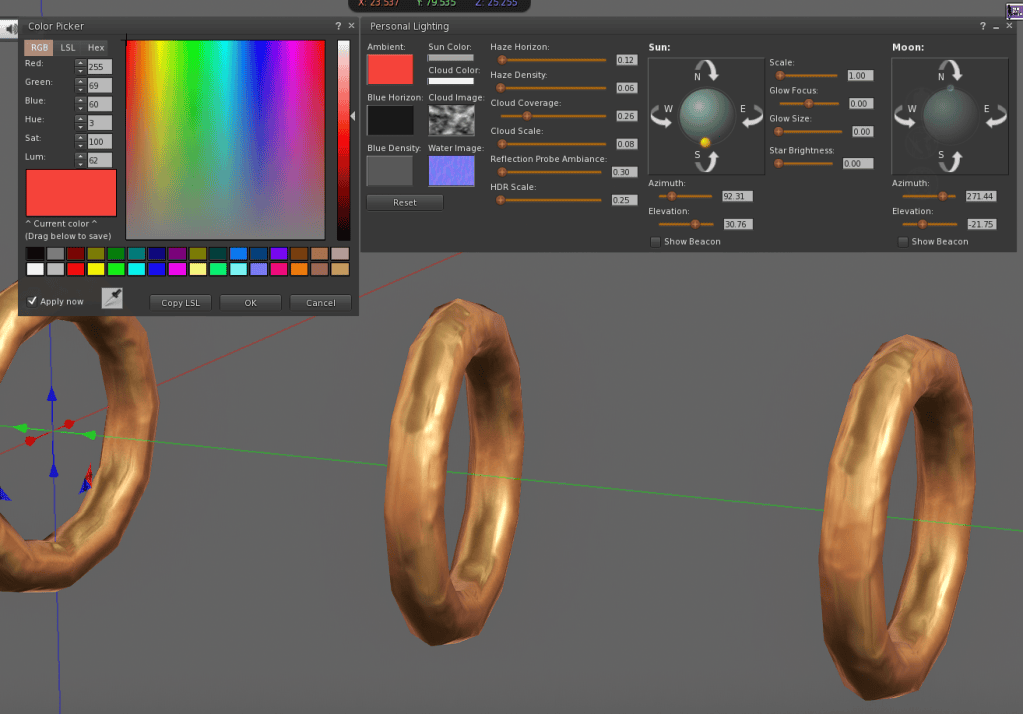
Do PBR items have a blue haze to them that shouldn’t be there? This is also due to lighting. With PBR the environment plays more of a role in the way lighting interacts with objects, so if your lighting has a lot of blue (or some other color) you can see that color reflecting off of your PBR items. It’s often blue because the sky is usually blue, hence the ever present “why is PBR always blue?” complaints.
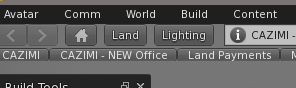
You can fix this by editing your lighting and turning down saturation in the “Ambient” “Blue Horizon” or “Blue Density” tinting windows. In Firestorm, find this area in the upper right of your screen and click where it says “Lighting”
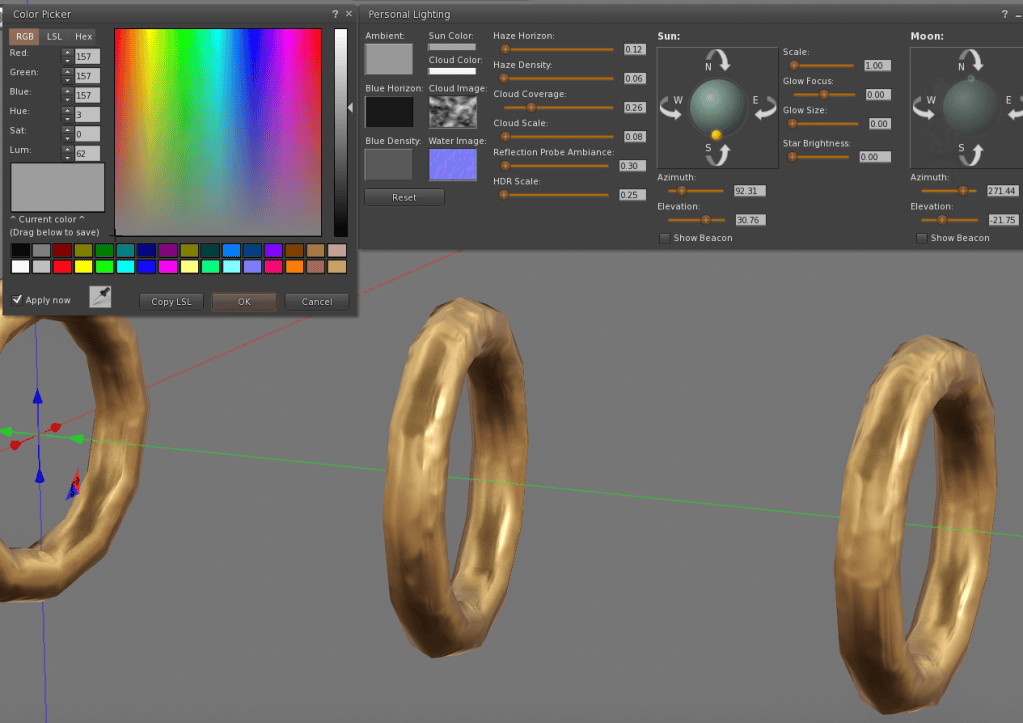
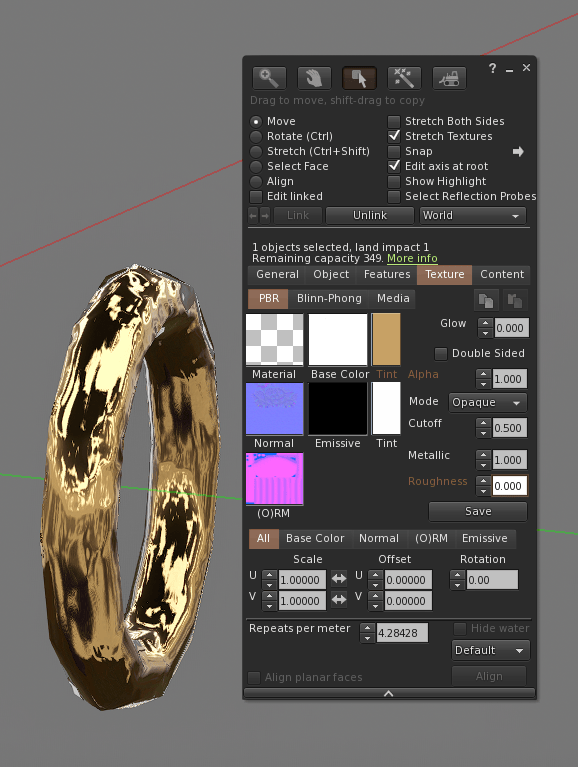
In the example below I tinted the “Ambient” bright red so you can see what I mean. Once I turn the red down to gray, the PBR rings (which should be a brassy color) won’t look red anymore.
Other fun stuff
If the item is mod you can also modify the PBR materials to do things like edit the amount of shine to your liking, just like you can do with standard materials. For example, turning the “roughness” down to 0 makes an item more shiny! Things like metals are also very tintable with PBR, so you can see I tinted these metal rings to a brassy color. I could tint them to any color I want. That is a major advantage over classic materials, some things are fully tintable with PBR whereas with classic materials tinting could wash the item out and make it look flat and dull.
Final thoughts
It seems like the grid is not ready to go full PBR yet, and to be fair SL hasn’t done a great job of making the transition easy on residents. Hopefully over time we can all find a good medium where we can enjoy the benefits of PBR while still having an easy, enjoyable experience.